
Multi-Location Compliance Software in India: Complete Guide for Businesses

Multi-Location Compliance Software

Managing compliance across multiple branches, factories, warehouses, offices, project sites and business units can become difficult when every location follows separate trackers, emails and document folders.

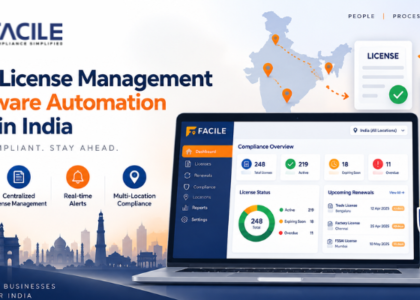
Multi-Location Compliance Software helps organisations centralise statutory obligations, due dates, licences, payroll compliance, contractor records, audits, documents and risk monitoring across all locations from one platform.

For businesses with operations across several cities or States, the right system can provide better visibility, improve accountability and reduce the risk of missed compliance activities.

What is Multi-Location Compliance Software?

Multi-Location Compliance Software is a digital platform used to manage statutory and operational compliance across multiple business locations.

It can help organisations manage:

  • Location-wise compliance
  • State-wise compliance
  • Compliance calendars
  • Licences and renewals
  • Registrations
  • Statutory registers
  • Statutory returns
  • Payroll compliance
  • Minimum wages
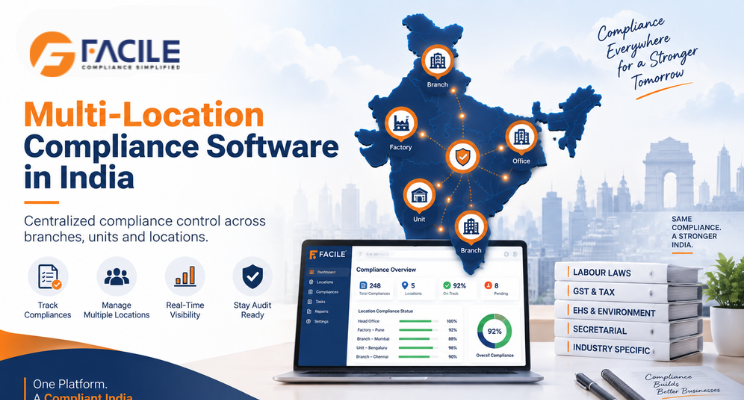
  • EPF
  • ESIC
  • Professional Tax
  • Labour Welfare Fund
  • Contractor compliance
  • Vendor compliance
  • Audit observations
  • Corrective actions
  • Compliance risks
  • Multi-location dashboards

The objective is to provide one central system for tracking compliance across every business unit.

Why Businesses Need Multi-Location Compliance Software

As organisations expand, compliance becomes more complex.

Different locations may have different:

  • Applicable laws
  • State rules
  • Minimum wage rates
  • PT requirements
  • LWF requirements
  • Licences
  • Registers
  • Returns
  • Holiday calendars
  • Contractor obligations
  • Due dates

Manual tracking can lead to:

  • Missed deadlines
  • Expired licences
  • Incorrect State-wise compliance
  • Delayed returns
  • Minimum wage gaps
  • Contractor non-compliance
  • Inconsistent records
  • Poor audit readiness
  • Limited management visibility

Multi-Location Compliance Software helps standardise and monitor these activities.

Key Features of Multi-Location Compliance Software

1. Location-Wise Compliance Mapping

Each location should have a clear compliance profile based on:

  • State
  • City
  • Establishment type
  • Factory status
  • Employee strength
  • Industry
  • Contractor workforce
  • Applicable registration

This ensures every location follows the correct compliance requirements.

2. Centralized Compliance Calendar

The platform should provide a consolidated calendar covering all locations.

It can show:

  • Compliance activity
  • Location
  • Applicable law
  • Due date
  • Frequency
  • Responsible person
  • Status
  • Supporting documents

This helps corporate teams monitor upcoming obligations.

3. State-Wise Compliance Management

Businesses with locations across different States should be able to manage State-specific requirements such as:

  • Minimum wages
  • Professional Tax
  • Labour Welfare Fund
  • Shops and Establishments compliance
  • State holidays
  • State licences
  • Registers
  • Returns

4. Licence and Registration Management

The system should track:

  • Licence number
  • Registration number
  • Location
  • Effective date
  • Expiry date
  • Renewal status
  • Supporting documents

Alerts can be triggered before expiry.

5. Statutory Register Management

Each location may need to maintain registers such as:

  • Attendance register
  • Wage register
  • Employee register
  • Leave register
  • Overtime register
  • Contractor register

The platform should maintain these records location-wise.

6. Statutory Return Tracking

The system should help monitor returns by:

  • Location
  • State
  • Applicable law
  • Filing period
  • Due date
  • Filing date
  • Status
  • Acknowledgement

7. Payroll Compliance Across Locations

Payroll compliance can vary by location.

The software should help validate:

  • Minimum wages
  • Attendance
  • Overtime
  • EPF
  • ESIC
  • PT
  • LWF
  • Payslips
  • Wage registers
  • Bank payment proof

8. Minimum Wage Compliance

Minimum wage validation should consider:

  • State
  • Zone
  • Industry
  • Skill category
  • Designation
  • Effective date
  • Location

This reduces the risk of applying incorrect wage rates.

9. Contractor Compliance Management

Different locations may engage different contractors.

The platform should monitor:

  • Contractor licence
  • Worker details
  • Attendance
  • Payroll
  • Minimum wages
  • EPF
  • ESIC
  • Payslips
  • Payment proof
  • Registers
  • Returns

10. Vendor Compliance Management

Vendor compliance can be monitored location-wise through:

  • Vendor documents
  • Licences
  • Contract details
  • Payroll records
  • Audit status
  • Risk level
  • Corrective actions

11. Compliance Document Management

The software should store documents centrally while maintaining location-wise access.

Documents may include:

  • Licences
  • Registrations
  • Returns
  • Challans
  • Registers
  • Payslips
  • Contractor documents
  • Audit reports
  • Government acknowledgements

12. Compliance Audit Management

Audits can be planned and monitored by:

  • Location
  • State
  • Department
  • Contractor
  • Vendor
  • Compliance category

This helps ensure consistent audit standards across the organisation.

13. Audit Observation Tracking

Each observation should capture:

  • Location
  • Observation
  • Applicable law
  • Risk level
  • Responsible person
  • Due date
  • Corrective action
  • Closure status

14. Corrective Action Management

A structured workflow can be:

Observation → Action Assigned → Evidence Submitted → Verification → Closure

This provides better accountability across locations.

15. Compliance Risk Monitoring

Risks can be classified as:

  • Low
  • Medium
  • High
  • Critical

The system can show risk by:

  • Location
  • State
  • Contractor
  • Vendor
  • Compliance area

16. Location-Wise Compliance Score

Each location can receive a compliance score based on:

  • Completed compliances
  • Overdue activities
  • Audit findings
  • Risk severity
  • Licence status
  • Corrective-action closure

This helps management compare performance.

17. Multi-Location Compliance Dashboard

A central dashboard can show:

  • Total locations
  • Compliant locations
  • High-risk locations
  • Pending compliances
  • Overdue activities
  • Expiring licences
  • Minimum wage issues
  • Contractor status
  • Vendor status
  • Audit observations
  • Compliance scores

Multi-Location Compliance Workflow

A structured workflow can look like:

Organisation → State → Location → Applicable Compliance → Due Date → Document → Audit → Risk → Corrective Action → Closure

This gives management both central and local visibility.

Benefits of Multi-Location Compliance Software

Centralized Compliance Control

All locations can be monitored through one platform.

Better Due-Date Tracking

Corporate teams can track deadlines across multiple branches and units.

Reduced Manual Reporting

Teams spend less time consolidating spreadsheets.

Improved Location Accountability

Each location can have designated compliance owners.

Better Risk Visibility

High-risk locations can be identified earlier.

Improved Audit Readiness

Documents, registers and audit history remain organised.

Better Contractor Monitoring

Contractor compliance can be reviewed by unit or location.

Improved Management Reporting

Dashboards provide location-wise and organisation-wide compliance insights.

Multi-Location Compliance for Growing Businesses

As businesses expand into new locations, compliance complexity increases.

For example:

Corporate Office → Branch → Factory → Warehouse → Project Site

Each location may have different statutory requirements.

A central platform helps businesses maintain one governance framework while preserving location-specific compliance.

Multi-Location Compliance Checklist

Businesses should regularly verify:

  • All locations are mapped
  • State-wise applicability is configured
  • Compliance calendars are updated
  • Licences are active
  • Registrations are valid
  • Minimum wages are correct
  • PT is configured where applicable
  • LWF is processed where applicable
  • Registers are maintained
  • Returns are filed
  • Contractor compliance is monitored
  • Vendor compliance is monitored
  • Audit observations are tracked
  • Corrective actions are closed
  • High-risk locations are reviewed
  • Compliance scores are monitored

Who Can Use Multi-Location Compliance Software?

It is useful for:

  • Large enterprises
  • Manufacturing companies
  • Factories
  • Retail chains
  • Logistics companies
  • Warehouses
  • IT companies
  • Healthcare organisations
  • Construction companies
  • Staffing companies
  • Facility management businesses
  • Banking and financial organisations
  • Multi-branch companies
  • Multi-state businesses
  • HR teams
  • Compliance teams
  • Payroll teams
  • Legal teams
  • Audit teams
  • Senior management

How FACILE ONE Helps With Multi-Location Compliance

FACILE ONE can help organisations manage compliance across multiple locations through one centralised platform.

Businesses can use FACILE ONE to support:

  • Location-wise compliance mapping
  • State-wise applicability
  • Compliance calendars
  • Licence management
  • Statutory registers
  • Statutory returns
  • Payroll compliance
  • Minimum wage monitoring
  • EPF and ESIC
  • PT and LWF
  • Contractor compliance
  • Vendor compliance
  • Audit observations
  • Corrective actions
  • Risk monitoring
  • Location-wise compliance scores
  • Centralised dashboards
  • Reports and audit trails

Why Choose FACILE ONE?

Multi-location compliance requires coordination between corporate teams and individual units.

FACILE ONE helps standardise compliance processes while maintaining location-specific requirements.

Key capabilities include:

  • Centralised compliance visibility
  • State-wise and unit-wise compliance
  • Payroll and statutory validation
  • Licence tracking
  • Contractor and vendor compliance
  • Audit monitoring
  • Compliance risk management
  • Corrective-action tracking
  • Multi-location dashboards
  • Reports and analytics

How to Choose the Best Multi-Location Compliance Software

Before selecting a platform, businesses should evaluate whether it supports:

  • Multiple locations
  • State-wise applicability
  • Compliance calendars
  • Due-date alerts
  • Licences
  • Registrations
  • Registers
  • Returns
  • Payroll compliance
  • Minimum wages
  • EPF
  • ESIC
  • PT
  • LWF
  • Contractors
  • Vendors
  • Audits
  • Corrective actions
  • Risk scoring
  • Location-wise dashboards

The best software should clearly answer:

Which locations are compliant? What is due? What is overdue? Which licences are expiring? Where are the risks? Which location needs immediate action?

Conclusion

Multi-Location Compliance Software helps organisations centralise statutory and labour-law compliance across branches, factories, offices, warehouses and project sites.

By bringing together compliance calendars, licences, payroll, contractors, vendors, audits and risk monitoring, businesses can improve visibility and reduce manual effort.

For organisations operating across several locations, FACILE ONE can help create a more consistent, scalable and audit-ready compliance framework.

Frequently Asked Questions – Multi-Location Compliance Software

1. What is Multi-Location Compliance Software?

It is software used to manage statutory compliance across multiple branches, factories, offices and other business locations from one platform.

2. Why do businesses need Multi-Location Compliance Software?

It helps organisations centralise due dates, licences, payroll compliance, audits and risk across all locations.

3. Can it manage different State requirements?

Yes. State-specific laws, minimum wages, PT, LWF, licences and returns can be managed.

4. Can it manage compliance calendars for each location?

Yes. Compliance calendars can be configured by location and State.

5. Can it track licences and renewals?

Yes. Licence validity and renewal status can be monitored for every location.

6. Can it manage minimum wages by location?

Yes. Wage rates can be mapped based on State, zone, industry and effective date.

7. Can it manage payroll compliance?

Yes. Attendance, minimum wages, EPF, ESIC, PT, LWF and payslips can be monitored.

8. Can it manage contractor compliance?

Yes. Contractor licences, employees, wages, EPF, ESIC and documents can be tracked by location.

9. Can it monitor vendor compliance?

Yes. Vendor documents, audits, risks and corrective actions can be monitored location-wise.

10. Can it track statutory registers and returns?

Yes. Registers and returns can be maintained and monitored for each unit.

11. Can it manage compliance audits?

Yes. Audits can be planned and tracked by location, State and compliance area.

12. Can compliance risks be monitored by location?

Yes. Risks can be classified and compared across units.

13. Can locations receive compliance scores?

Yes. Compliance scores can help management compare location performance.

14. Can management see all locations in one dashboard?

Yes. A central dashboard can provide organisation-wide and location-level views.

15. Who should use Multi-Location Compliance Software?

HR, payroll, compliance, legal, audit and senior management teams in organisations with multiple locations can use it.

16. Can FACILE ONE manage Multi-Location Compliance?

Yes. FACILE ONE can support location-wise compliance, statutory calendars, payroll validation, licences, contractors, vendors, audits, risks and centralised dashboards.


About the Author

Leave a Reply

Your email address will not be published. Required fields are marked *

You may also like these

Chat on WhatsApp
HR Compliance Services Made Simple!