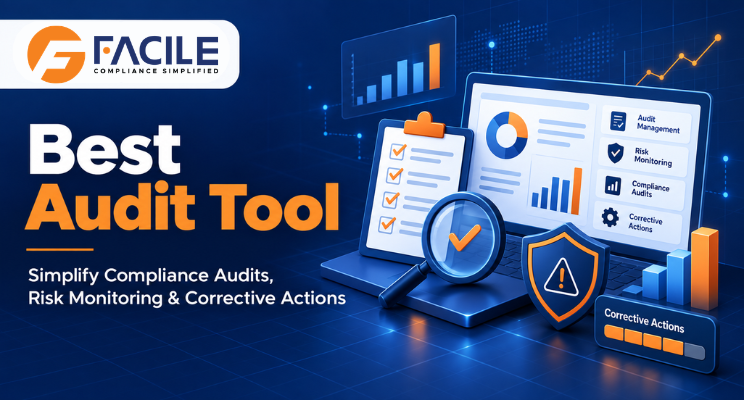
Audits help organisations verify whether business processes, contractors, records and statutory activities meet defined requirements. However, managing audits through spreadsheets, emails and physical documents can make the process slow, fragmented and difficult to monitor.
Audit teams may spend considerable time collecting evidence, checking documents, recording observations, sending follow-ups and preparing management reports. When audit information is stored across different systems, important findings may remain unresolved and high-risk issues can be overlooked.
The best audit tool should bring audit planning, evidence collection, observations, risk assessment, corrective actions and reporting into one structured platform.
FACILE ONE helps organisations conduct compliance audits, contractor audits, payroll reviews and internal assessments through configurable digital workflows. It improves visibility, strengthens accountability and enables management teams to track audit risks across vendors, locations and compliance periods.
An audit tool is a software platform used to plan, conduct, document and monitor audits. It allows organisations to create audit checklists, assign responsibilities, collect supporting evidence, record findings and track corrective actions.
A well-designed audit management system provides a central location for auditors, compliance teams, contractors, vendors, HR professionals and management stakeholders to collaborate.
An audit tool can support activities such as:
Organisations may conduct several types of audits across departments, contractors, factories, branches, warehouses and project locations.
Every audit can involve multiple requirements, documents, reviewers and deadlines. Managing these activities manually makes it difficult to maintain consistency and obtain a consolidated view of audit performance.
An audit management tool helps organisations establish a standard process for conducting and monitoring audits. It also enables stakeholders to access current information without repeatedly consolidating spreadsheets or searching through email attachments.
The right audit tool helps organisations answer important questions:
Audit schedules, checklists, evidence and reports may be stored in different spreadsheets, folders and email conversations. This creates information gaps and makes audit records difficult to retrieve.
Different auditors may use different formats or assessment criteria. This can make audit results difficult to compare across contractors and locations.
Auditees may submit supporting documents through email or physical files. Audit teams must then organise, verify and follow up on each submission manually.
Management may not have a consolidated view of pending audits, open observations, high-risk findings and delayed corrective actions.
Audit findings may be recorded, but the assigned actions are not always tracked until closure. This can allow the same issue to appear in future audits.
Without defined responsibility and due dates, teams may not know who should respond to an observation or approve its closure.
Comparing compliance performance across branches, factories, establishments and contractors becomes difficult when every location follows a separate process.
Spreadsheet changes and email approvals may not provide a reliable history of submissions, comments, reviews and decisions.
A digital audit tool connects every important stage of the audit lifecycle through a structured workflow.
Organisations can define the audit type, scope, location, period, applicable requirements, responsible teams and planned completion date.
Audit checklists can be configured according to the applicable law, department, contractor category, business process or internal requirement.
Auditors, reviewers, contractors, vendors and responsible personnel can be assigned appropriate tasks and access permissions.
Relevant registers, returns, licences, payroll records, challans, certificates, policies and supporting evidence can be submitted through a central portal.
Auditors can review submitted records, compare information and record observations against individual audit points.
Audit findings can be classified according to their severity, impact, priority or configured risk parameters.
Responsible teams can receive clearly defined corrective actions with owners, deadlines, comments and supporting-document requirements.
Auditors can review corrective-action responses, request clarification, accept evidence or reopen observations when further action is required.
Audit status, compliance scores, risk trends and corrective-action progress become available through dashboards and reports.
Create audit checklists according to business processes, statutory requirements, contractor categories, locations and internal policies.
Maintain checklists, observations, documents, responses, approvals and reports in one controlled system.
Plan periodic, monthly, quarterly, annual or event-based audits and monitor their completion status.
Allow authorised vendors, contractors and internal teams to upload evidence through a structured submission process.
Review payroll data, statutory documents, registers, challans, returns, licences and supporting records against configured requirements.
Record findings against specific audit points with detailed comments, risk categories and supporting evidence.
Categorise observations according to severity, priority, financial exposure, operational impact or compliance risk.
Assign corrective and preventive actions to responsible users and monitor their progress until closure.
Notify responsible teams about approaching deadlines, pending documents, unresolved observations and overdue corrective actions.
Evaluate contractors, vendors, establishments or departments using consistent audit parameters and scoring methods.
Compare audit results and compliance performance across vendors, contractors, business units and periods.
Monitor audits across factories, offices, warehouses, branches, establishments and project locations from a common dashboard.
Provide auditors, auditees, reviewers, contractors, compliance teams and management with suitable access permissions.
Maintain a traceable history of submissions, reviews, comments, modifications, approvals and closure decisions.
Generate detailed audit reports and view organisation-wide trends through management dashboards.
The best audit tool should be flexible enough to support different audit requirements.
FACILE ONE can support workflows associated with:
The exact scope can be configured according to organisational requirements and applicable compliance obligations.
Standard checklists and workflows help auditors follow a uniform assessment process across locations and vendors.
Centralised submissions, structured reviews and clear assignments reduce delays caused by scattered records and repeated follow-ups.
Management can identify high-risk findings, overdue actions and recurring issues without waiting for manually prepared reports.
Every observation can be assigned to a responsible person with a defined deadline and closure process.
Reminders, escalations and status monitoring help teams respond to audit observations within expected timelines.
Digital workflows reduce spreadsheet consolidation, manual document filing and repeated communication.
Organisations can compare contractor performance using consistent compliance criteria and audit scores.
Supporting documents and corrective-action evidence remain connected to the relevant audit and observation.
Dashboards provide meaningful information about audit progress, risk levels, compliance scores and closure performance.
Structured and traceable records make it easier to retrieve evidence during internal reviews, customer audits or regulatory inspections.
Historical audit data helps organisations identify recurring deficiencies and improve processes over time.
The best audit tool is not simply the platform with the longest feature list. It should match the organisation’s audit scope, operational structure and compliance requirements.
Consider the following factors before selecting an audit solution.
The platform should allow organisations to configure audit types, checklists, workflows, risk categories, scoring parameters and approval levels.
Auditors and auditees should be able to navigate the system, submit evidence and respond to observations without unnecessary complexity.
Businesses operating across multiple establishments should be able to monitor audits from a central dashboard while retaining location-level visibility.
The tool should support action assignment, responsibility, deadlines, responses, evidence review, escalation and closure.
Management reports should present audit status, open risks, compliance scores and performance trends clearly.
Role-based permissions should protect confidential audit documents and restrict access according to user responsibility.
The system should maintain a reliable history of activities, changes, comments, submissions and approvals.
Where required, the audit tool should support data exchange with payroll, attendance, HR, vendor-management or document-management systems.
The platform should be able to support additional users, vendors, locations, audit types and records as the organisation grows.
The solution provider should understand the organisation’s audit workflow and assist with checklist configuration, user onboarding and process adoption.
FACILE ONE combines audit management, compliance monitoring, document control, risk assessment and corrective-action tracking within one integrated platform.
FACILE ONE is designed to support operational and statutory compliance reviews involving employers, contractors, vendors and multiple establishments.
Audit requirements can be configured according to the audit type, business location, contractor category, compliance period and internal process.
Auditors and authorised stakeholders can access relevant documents, evidence and responses from a common system.
Findings can be recorded against specific audit points with comments, supporting evidence, risk levels and recommended actions.
Responsibilities, due dates, responses, evidence and closure decisions can be tracked through a controlled workflow.
Organisations can evaluate contractor, vendor or establishment performance using configured compliance parameters.
Central teams can monitor audit status and compliance risk across multiple contractors, factories, branches and project sites.
Management can view pending audits, open observations, overdue actions, compliance scores and high-risk areas.
Role-based access and complete audit trails improve control over confidential audit information.
FACILE ONE can support expanding audit programmes, contractor networks, compliance requirements and business locations.
FACILE ONE is suitable for:
Using an audit tool delivers better results when it is supported by a clearly defined audit process.
Organisations should:
Audit management should not depend on disconnected spreadsheets, repeated emails and physical documents.
FACILE ONE connects auditors, contractors, vendors, compliance teams and management through one digital audit platform. From audit planning and evidence collection to observation recording, risk monitoring and corrective-action closure, every stage becomes more structured and visible.
With FACILE ONE, organisations can reduce administrative effort, improve audit consistency, strengthen accountability and maintain better control over compliance risks.
Stay connected. Stay compliant. Manage your audits with FACILE ONE.
The best audit tool is a configurable digital platform that supports audit planning, checklists, evidence collection, observations, risk assessment, corrective actions, dashboards and reporting within one system.
Audit management software helps organisations plan, conduct, document and monitor internal, statutory, contractor, vendor and compliance audits.
FACILE ONE provides configurable checklists, document collection, audit observations, risk classification, corrective-action monitoring, compliance scoring and management dashboards.
Yes. Audit workflows can be configured for statutory compliance, payroll, contractors, vendors, factories, establishments, licences and other organisational requirements.
Yes. Audits can be organised and monitored by establishment, factory, branch, warehouse, project or operating location.
Yes. Authorised contractors and vendors can submit required documents and corrective-action evidence through controlled workflows.
Audit checklists can be configured according to audit scope, statutory requirements, business processes, locations and contractor categories.
Yes. Auditors can record findings against individual audit points and include comments, evidence, recommendations, risk levels and corrective actions.
Yes. Responsible users, deadlines, responses, supporting evidence and closure status can be monitored for each corrective action.
Yes. Audit observations can be categorised according to configured severity, priority and risk parameters.
Yes. Dashboards can display audit progress, compliance scores, open observations, overdue actions and high-risk areas.
The platform can calculate performance indicators using configured audit points, observation status and scoring parameters.
Yes. Reminders and escalations can be configured for pending audits, required documents, approaching deadlines and unresolved corrective actions.
Yes. FACILE ONE can maintain traceable records of submissions, reviews, comments, changes, approvals and closure decisions.
Yes. Authorised users can access historical audit records to compare findings, identify recurring issues and monitor improvement.
Yes. The platform supports document reviews, compliance assessments, observations, corrective actions and performance scoring for vendors and contractors.
Yes. Audit information can be organised into detailed reports and management summaries based on configured formats and requirements.
Yes. FACILE ONE can support multiple users, audit types, contractors, vendors, establishments and large volumes of audit records.
No. An audit tool improves workflow, documentation, monitoring and reporting. Professional judgement remains necessary when evaluating evidence and interpreting requirements.
No. Audit software supports compliance management and record control. Organisations should obtain professional advice when interpreting legal obligations or handling complex compliance matters.

Facile Management Services (OPC) Private Limited is committed to delivering seamlessly integrated HR and compliance solutions designed for the evolving