
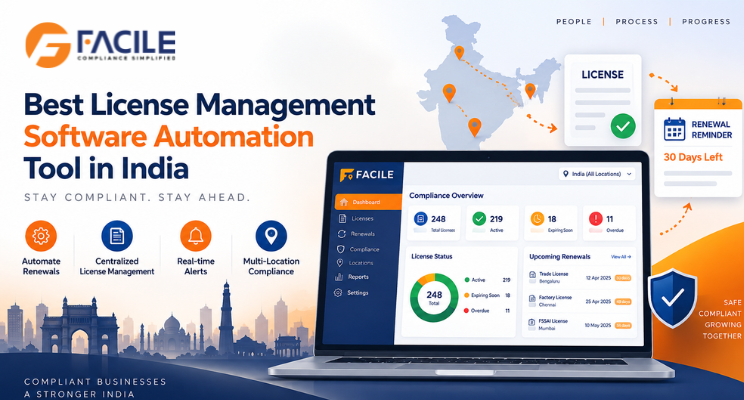
Best License Management Software Automation Tool in India

Best License Management Software Automation Tool in India

Managing licences manually can become difficult when organisations operate across multiple States, factories, branches, warehouses, offices, contractors and business units. Every licence may have different applicability conditions, issue dates, expiry dates, renewal timelines, document requirements and responsible owners.

A License Management Software Automation Tool helps businesses centralise and automate licence tracking, renewals, alerts, document storage, ownership, audit trails and compliance reporting through one digital platform.

For organisations with multiple locations or statutory registrations, licence management automation can reduce missed renewals and improve compliance visibility.

What is a License Management Software Automation Tool?

A License Management Software Automation Tool is a digital system used to manage the complete lifecycle of business, statutory and operational licences.

It can help organisations manage:

  • Licence master data
  • Registration details
  • Issue dates
  • Effective dates
  • Expiry dates
  • Renewal dates
  • Applicable locations
  • Responsible owners
  • Supporting documents
  • Licence conditions
  • Worker limits
  • Renewal status
  • Alerts and escalations
  • Audit history
  • Compliance dashboards

The objective is to replace spreadsheets and manual reminder systems with a structured licence-management workflow.

Why Businesses Need License Management Automation

Manual licence tracking can create risks such as:

  • Missed renewal deadlines
  • Expired licences
  • Missing supporting documents
  • Incorrect licence details
  • Worker-limit violations
  • Inconsistent location data
  • Lack of ownership
  • Delayed approvals
  • Poor audit readiness
  • Limited management visibility

A licence management automation tool helps businesses monitor these risks before they become operational or regulatory issues.

Key Features of License Management Software Automation Tool

1. Centralized License Repository

The software should maintain all licence details in one place.

Important fields may include:

  • Licence name
  • Licence number
  • Registration number
  • Applicable law
  • State
  • Location
  • Department
  • Issue date
  • Effective date
  • Expiry date
  • Renewal date
  • Status
  • Responsible owner

This creates one reliable source of licence information.

2. Automated Expiry Tracking

The system should automatically identify licences that are:

  • Active
  • Expiring soon
  • Renewal due
  • Expired
  • Under renewal
  • Closed

This improves renewal control.

3. Renewal Alerts and Notifications

Automated alerts can be configured for:

  • 90 days before expiry
  • 60 days before expiry
  • 30 days before expiry
  • 15 days before expiry
  • Final due date

Escalations can also be sent if renewal actions remain incomplete.

4. Renewal Workflow Automation

A licence-renewal workflow can follow:

Renewal Due → Owner Assigned → Documents Collected → Application Submitted → Follow-Up → Approval → Updated Licence Uploaded

This creates a traceable process.

5. Multi-State License Management

Businesses operating across India may have different licence requirements by State.

The software should help manage:

  • Shops and Establishments registrations
  • Factory licences
  • Contractor licences
  • Trade licences
  • Local registrations
  • Other statutory approvals

Each location can have its own licence profile.

6. Multi-Location License Management

The system should allow licences to be grouped by:

  • State
  • Branch
  • Factory
  • Warehouse
  • Office
  • Project site
  • Business unit

This gives management location-wise visibility.

7. Document Management

A central repository should store:

  • Current licence
  • Previous licence
  • Renewal application
  • Payment challan
  • Supporting documents
  • Government acknowledgement
  • Approval communication
  • Inspection documents

This improves audit readiness.

8. Licence Condition Monitoring

Some licences may contain specific conditions.

The system can maintain:

  • Worker limits
  • Capacity
  • Scope of activity
  • Location restrictions
  • Validity conditions
  • Special approvals

This helps teams monitor whether actual operations remain within licence conditions.

9. Contractor License Management

For contractors, the software can track:

  • Contractor name
  • Principal employer
  • Licence number
  • Worker strength
  • Effective date
  • Expiry date
  • Location
  • Renewal status

This improves contractor-compliance visibility.

10. Factory License Management

For factories, the system can manage:

  • Factory licence number
  • Occupier details
  • Manager details
  • Worker strength
  • Installed power
  • Validity
  • Renewal
  • Supporting documents

11. Registration Management

The same platform can also manage statutory registrations such as:

  • Shops and Establishments registration
  • Professional Tax registration
  • Labour Welfare Fund registration
  • EPF registration
  • ESIC registration
  • Other State registrations

12. License Ownership Management

Every licence should have a responsible owner.

The system can assign responsibility to:

  • Compliance team
  • HR
  • Legal
  • Admin
  • Factory management
  • Contractor
  • Vendor

This improves accountability.

13. Automated Escalations

If renewal activity is not completed, the platform can escalate to:

  • Compliance manager
  • Department head
  • Legal team
  • Senior management

This reduces the risk of silent delays.

14. License Audit Trail

The platform should maintain:

  • Who created the licence record
  • Who updated it
  • When renewal started
  • Which documents were uploaded
  • Who approved changes
  • When the renewed licence was received

This creates a complete history.

15. License Compliance Dashboard

A dashboard can show:

  • Total licences
  • Active licences
  • Expiring licences
  • Expired licences
  • Renewal pending
  • Renewal completed
  • State-wise licences
  • Location-wise licences
  • Contractor licences
  • High-risk licence issues

License Management Workflow

A structured automated workflow can look like:

Applicability → Licence Creation → Validity Tracking → Alert → Renewal → Document Submission → Approval → Updated Licence → Closure

This helps ensure licences remain current throughout their lifecycle.

Benefits of License Management Software Automation

Reduced Renewal Risk

Automated alerts help prevent missed expiry dates.

Better Visibility

Management can see all licence statuses from one platform.

Reduced Manual Tracking

Teams spend less time maintaining spreadsheets.

Better Accountability

Every licence has an assigned owner and due date.

Improved Audit Readiness

Current and historical documents remain organised.

Better Multi-State Control

State-specific licence requirements can be monitored centrally.

Better Contractor Governance

Contractor licence validity can be tracked by location.

Faster Reporting

Management reports can be generated without manual consolidation.

License Management for Multi-State Businesses

Multi-state organisations may hold different licences in different jurisdictions.

A central structure can be:

Organisation → State → Location → Licence → Validity → Renewal → Status

This makes national-level licence monitoring easier.

License Management for Factories and Establishments

Factories and establishments may need to manage multiple approvals simultaneously.

A centralised system can track:

  • Factory licences
  • Establishment registrations
  • Contractor licences
  • Renewal dates
  • Worker limits
  • Supporting documentation

This improves operational readiness.

License Management Checklist

Businesses should regularly verify:

  • Licence master is complete
  • Licence number is correct
  • Location is mapped correctly
  • Issue date is recorded
  • Expiry date is correct
  • Renewal date is monitored
  • Responsible owner is assigned
  • Supporting documents are uploaded
  • Licence conditions are reviewed
  • Worker limits are monitored
  • Renewal application is tracked
  • Acknowledgements are stored
  • Renewed licence is updated
  • Historical versions are retained
  • Expired licences are escalated

Who Can Use License Management Software?

It is useful for:

  • Large enterprises
  • Manufacturing companies
  • Factories
  • Retail chains
  • Logistics businesses
  • Warehouses
  • Construction companies
  • IT companies
  • Healthcare organisations
  • Facility management businesses
  • Staffing companies
  • Multi-state businesses
  • Multi-location businesses
  • Compliance teams
  • Legal teams
  • HR teams
  • Admin teams
  • Factory management
  • Contractor management teams

How FACILE ONE Helps With License Management Automation

FACILE ONE can help organisations centralise licence and registration management through a structured digital platform.

Businesses can use FACILE ONE to support:

  • Licence master management
  • Registration tracking
  • Expiry monitoring
  • Renewal alerts
  • Automated workflows
  • State-wise licence management
  • Location-wise licence management
  • Contractor licence tracking
  • Factory licence tracking
  • Document management
  • Responsible-owner assignment
  • Escalations
  • Audit trails
  • Dashboards and reports

Why Choose FACILE ONE?

Licence management requires coordination between compliance, legal, HR, administration, factory teams, contractors and management.

FACILE ONE helps bring these activities into one structured workflow.

Key capabilities include:

  • Centralised licence repository
  • Automated renewal tracking
  • Alerts and escalations
  • Multi-state monitoring
  • Multi-location visibility
  • Contractor licence management
  • Document history
  • Audit trails
  • Compliance dashboards

How to Choose the Best License Management Software Automation Tool

Businesses should evaluate whether the platform supports:

  • Licence master data
  • Expiry tracking
  • Renewal reminders
  • Approval workflows
  • Document storage
  • Multi-state operations
  • Multi-location operations
  • Contractor licences
  • Factory licences
  • Registration tracking
  • Responsible owners
  • Escalations
  • Audit trails
  • Dashboards
  • Reports

The best system should clearly answer:

Which licences are active? Which are expiring? Who owns the renewal? What documents are pending? Has the renewed licence been received?

Conclusion

A License Management Software Automation Tool helps businesses replace manual licence trackers with a structured and automated renewal-management process.

By centralising licences, expiry dates, supporting documents, owners, renewals and audit trails, organisations can reduce renewal risk and improve compliance visibility.

For businesses operating across multiple States and locations, FACILE ONE can help create a more reliable and audit-ready licence management framework.

Frequently Asked Questions – License Management Software Automation Tool

1. What is License Management Software?

License Management Software is a digital platform used to track licences, expiry dates, renewals, documents and responsible owners.

2. What is licence management automation?

It is the use of software to automate expiry tracking, reminders, workflows, escalations and renewal monitoring.

3. Why is license management important?

It helps businesses prevent expired licences and maintain operational and statutory readiness.

4. Can the software automatically track expiry dates?

Yes. Expiring and expired licences can be identified automatically.

5. Can renewal reminders be automated?

Yes. Alerts can be configured before licence expiry.

6. Can renewal workflows be managed digitally?

Yes. Renewal can be tracked from initiation through application, approval and final licence upload.

7. Can it manage multiple States?

Yes. State-specific licences and registrations can be monitored centrally.

8. Can it manage multiple locations?

Yes. Licences can be mapped to branches, factories, warehouses and project sites.

9. Can contractor licences be tracked?

Yes. Contractor licences, worker limits, validity and renewal status can be monitored.

10. Can factory licences be managed?

Yes. Factory licence details, validity and renewals can be tracked.

11. Can supporting documents be stored?

Yes. Applications, challans, licences, acknowledgements and related documents can be maintained.

12. Can licence ownership be assigned?

Yes. Each licence can have a responsible owner or department.

13. Can the system send escalations?

Yes. Overdue renewal actions can be escalated to relevant management levels.

14. Can historical licences be retained?

Yes. Previous licence versions and renewal history can be maintained for audit purposes.

15. Can management view a licence dashboard?

Yes. Dashboards can show active, expiring, expired and renewal-pending licences.

16. Can FACILE ONE automate licence management?

Yes. FACILE ONE can support licence tracking, renewal alerts, documents, workflows, escalations and dashboards.


About the Author

Leave a Reply

Your email address will not be published. Required fields are marked *

You may also like these

Chat on WhatsApp
HR Compliance Services Made Simple!