
Payroll compliance is more than making sure employees receive the correct salary. HR and finance teams also need to verify statutory deductions, employer contributions, payroll records, filing deadlines, employee information, and supporting documentation.
For businesses operating in India, payroll compliance can involve obligations such as Provident Fund (PF), Employee State Insurance (ESI), Professional Tax (PT), and salary TDS, with requirements varying according to employee eligibility, location, and applicable rules.
As employee numbers increase, manually checking every payroll component becomes time-consuming and makes it harder to identify discrepancies before they become compliance issues.
This is where payroll compliance audit software can help.
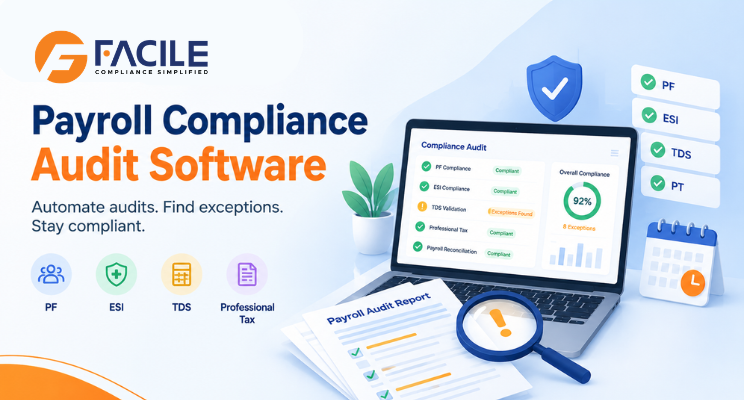
Payroll compliance audit software is a technology solution that automatically reviews payroll data against configured statutory and organizational compliance rules.
Instead of manually checking spreadsheets, payroll registers and statutory reports, an audit tool can analyze payroll information and identify potential issues such as:
The objective is not simply to calculate payroll. It is to continuously identify potential compliance gaps and provide an audit trail for investigation and remediation.
Payroll errors can originate from data changes, incorrect employee classifications, outdated rules, manual calculations or missed deadlines.
For example, Professional Tax can differ by state, making location-specific payroll configuration important for organizations operating across multiple states.
Similarly, payroll teams need to reconcile statutory calculations and filings with the underlying payroll records.
A payroll compliance audit can help organizations:
Automated checks can identify discrepancies before payroll information is finalized or submitted.
Instead of checking every employee record manually, HR and finance teams can focus on exceptions flagged by the system.
A centralized audit history can make it easier to understand what changed, when it changed and which records were affected.
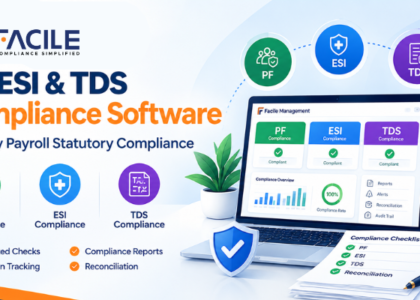
A compliance dashboard can bring PF, ESI, TDS and Professional Tax checks into one workflow.
Organizations can establish repeatable payroll audit rules instead of relying on individual team members’ spreadsheets and checklists.
A modern payroll compliance audit tool can include the following capabilities.
Run predefined compliance checks against each payroll cycle.
Examples include:
The software can compare employee payroll data with configured PF rules and highlight potentially inconsistent contributions or employee records.
Audit employee eligibility, contribution calculations and payroll records associated with ESI.
Review taxable salary, deductions and tax withheld to identify potential inconsistencies before payroll reporting.
For organizations operating across states, the software can validate Professional Tax according to the employee’s applicable location and configured state rules.
Compare payroll data with:
Reconciliation is particularly useful because payroll errors can occur between different systems rather than inside the payroll calculation itself.
A centralized compliance calendar can track upcoming statutory activities and provide reminders to responsible users.
Instead of presenting hundreds of payroll records, the system can surface only records that require attention.
For example:
| Audit Check | Result |
|---|---|
| PF contribution | 3 exceptions |
| ESI eligibility | 1 exception |
| TDS calculation | 4 exceptions |
| Professional Tax | 2 exceptions |
| Payroll reconciliation | 0 exceptions |
This gives HR and finance teams a practical starting point for investigation.
An audit trail should capture relevant payroll actions and changes so organizations can review historical activity.
Audit trails are already a common feature in payroll systems; for example, payroll platforms can provide reports showing changes to employee records and payroll activity.
Generate reports showing:
A typical workflow can be structured into six steps.
Connect the payroll system or upload payroll data.
Check employee master data, salary components, location, tax information and statutory identifiers.
The software evaluates payroll against configured compliance rules.
Potential discrepancies are categorized by severity and compliance area.
HR or finance users investigate the affected records and document corrective actions.
The system produces an audit-ready report containing findings, actions and final status.
A useful payroll audit software solution should help teams review at least these areas:
Automated checks reduce repetitive spreadsheet-based review.
Rule-based validation can identify inconsistencies that may be missed during manual audits.
Dashboards give HR, payroll and finance teams a centralized view of compliance status.
Assign exceptions to specific users and track their resolution.
Keep historical records of audit results, corrections and payroll changes.
Automated auditing becomes increasingly valuable as employee count, payroll complexity and geographic coverage increase.
| Area | Manual Audit | Payroll Compliance Software |
|---|---|---|
| Data review | Spreadsheet-based | Automated |
| Compliance checks | Manual | Rule-based |
| Error detection | Periodic | Every payroll cycle |
| Exception tracking | Email/spreadsheets | Centralized |
| Audit trail | Often fragmented | Centralized |
| Reporting | Manual | Automated |
| Reconciliation | Time-consuming | Automated workflows |
| Compliance visibility | Limited | Dashboard-based |
| Scalability | Difficult with growth | Designed for larger datasets |
A payroll compliance audit tool can be useful for:
It is especially useful when payroll is processed across multiple locations or involves multiple statutory requirements.
Before selecting a solution, evaluate:
Does it cover the statutory requirements relevant to your organization?
Can audits run automatically after every payroll cycle?
Can it connect with your HRMS, payroll platform, accounting software or ERP?
Can you export detailed employee-level and summary audit reports?
Can users assign, comment on and close compliance exceptions?
Does the system maintain historical records of changes and actions?
Payroll contains sensitive employee and financial information, so access controls, authentication and data security should be evaluated carefully.
Can rules be updated when regulations or organizational policies change?
A payroll compliance audit is a systematic review of payroll calculations, employee records, statutory deductions, contributions, filings and related documentation to identify potential compliance issues.
Payroll compliance audit software automates payroll checks, identifies exceptions, supports reconciliation, tracks compliance tasks and generates audit reports.
Yes, a payroll audit platform can be configured to check applicable PF, ESI and TDS calculations and records. The exact checks depend on the software’s rules and the organization’s applicable requirements.
Yes. A suitable system can validate Professional Tax using employee location and applicable state-specific rules. Professional Tax requirements can vary between states.
Many organizations perform payroll compliance checks every payroll cycle and conduct more comprehensive periodic audits. The appropriate frequency depends on payroll complexity, workforce size and risk controls.
No. Software can automate calculations, checks and reporting, but organizations may still need HR, payroll, finance or professional compliance expertise to interpret exceptions and make decisions.
Some payroll platforms generate statutory reports, challans or filing-related data. The exact filing capabilities depend on the product. Payroll compliance platforms commonly combine calculations, deadline tracking and audit reporting.
Payroll software primarily helps calculate and process payroll. Payroll audit software focuses on checking payroll for errors, discrepancies and compliance exceptions. Some modern payroll platforms combine both capabilities.
It can be, particularly when payroll is becoming complex or the business operates across multiple states. Smaller organizations should weigh the software cost against their payroll volume and compliance requirements.
Yes. A payroll compliance audit platform can generate reports summarizing compliance checks, exceptions, affected employees, corrective actions and audit status.


Facile Management Services (OPC) Private Limited is committed to delivering seamlessly integrated HR and compliance solutions designed for the evolving