

Managing compliance audits manually can become difficult when organisations operate across multiple locations, departments, contractors, vendors and statutory obligations. Audit teams often need to collect documents, verify records, identify gaps, assign observations, monitor corrective actions and report compliance status to management.
A Compliance Audit Software Tool helps businesses digitise and manage the complete audit lifecycle through one structured platform.
It can support statutory audits, payroll audits, contractor audits, vendor audits, licence audits, document verification, risk classification, corrective actions, evidence management and compliance reporting.
What is a Compliance Audit Software Tool?
A Compliance Audit Software Tool is a digital platform used to plan, perform, monitor and close compliance audits.
It can help organisations manage:
- Audit planning
- Audit schedules
- Digital checklists
- Document verification
- Compliance observations
- Risk classification
- Audit scoring
- Corrective actions
- Evidence submission
- Review and verification
- Audit closure
- Contractor audits
- Vendor audits
- Payroll audits
- Multi-location audits
- Compliance dashboards
- Audit reports
- Audit trails
The objective is to replace manual audit trackers and spreadsheets with a structured and transparent audit process.
Why Businesses Need Compliance Audit Software
Manual compliance audits can create several problems:
- Inconsistent audit checklists
- Missing documents
- Delayed audit completion
- Unclear observations
- Weak risk classification
- Overdue corrective actions
- Poor evidence management
- Repeated audit findings
- Difficulty tracking audit closure
- Limited management visibility
- Incomplete audit trails
Compliance Audit Software helps standardise the audit process across the organisation.
Key Features of a Compliance Audit Software Tool
1. Audit Planning
The system should allow businesses to plan audits based on:
- State
- Location
- Department
- Contractor
- Vendor
- Compliance category
- Audit frequency
- Audit period
This creates a structured audit calendar.
2. Audit Scheduling
Audits can be scheduled for:
- Monthly
- Quarterly
- Half-yearly
- Annual
- Periodic reviews
- Special audits
Responsible auditors and target dates can be assigned.
3. Digital Audit Checklists
The platform should support configurable audit checklists covering:
- Payroll
- EPF
- ESIC
- Minimum wages
- Professional Tax
- Labour Welfare Fund
- Attendance
- Wage registers
- Licences
- Statutory returns
- Contractor compliance
- Vendor compliance
This helps maintain consistency.
4. Document Verification
Auditors can review documents such as:
- Employee records
- Attendance
- Payroll sheets
- Payslips
- Challans
- Registers
- Licences
- Returns
- Bank payment proof
- Contractor documents
- Vendor documents
5. Audit Observation Management
When a compliance gap is identified, the system can record:
- Observation
- Applicable law
- Location
- Contractor or vendor
- Risk level
- Responsible person
- Due date
- Recommendation
- Closure status
6. Risk Classification
Audit findings can be classified as:
- Low
- Medium
- High
- Critical
This helps teams prioritise serious issues.
7. Audit Scoring
The system can calculate audit scores based on:
- Compliant checkpoints
- Non-compliant checkpoints
- Risk severity
- Document availability
- Corrective-action status
Scores can be displayed by location, vendor or contractor.
8. Corrective Action Management
Each audit observation can be linked to a corrective action.
A workflow can follow:
Observation → Owner Assigned → Corrective Action → Evidence Submitted → Verification → Closure
9. Evidence Management
Users can upload supporting evidence such as:
- Revised payroll
- Corrected registers
- Payment proof
- Renewed licence
- Challans
- Employee documents
- Corrective-action proof
This strengthens audit traceability.
10. Revalidation and Verification
Auditors can review submitted evidence and:
- Approve
- Reject
- Request resubmission
- Reopen observation
- Close observation
This creates a controlled closure process.
11. Contractor Compliance Audits
Contractor audits can review:
- Labour licences
- Employee master
- Attendance
- Minimum wages
- Payroll
- EPF
- ESIC
- Payslips
- Bank payment proof
- Registers
- Returns
This gives principal employers stronger visibility.
12. Vendor Compliance Audits
Vendor audits can include:
- Vendor documents
- Contracts
- Licences
- Statutory records
- Payroll compliance
- Risk status
- Previous observations
- Corrective actions
13. Payroll Compliance Audits
Payroll audits can validate:
- Employee master
- Attendance
- Payable days
- Minimum wages
- Earnings
- Deductions
- EPF
- ESIC
- PT
- LWF
- Overtime
- Payslips
- Wage registers
- Bank payments
14. Licence Compliance Audits
The software can verify:
- Licence availability
- Validity
- Expiry date
- Renewal status
- Worker limits
- Supporting documents
- Applicable location
15. Statutory Register Audits
Registers can be audited for:
- Completeness
- Employee data
- Attendance
- Wages
- Overtime
- Leave
- Deductions
- Required signatures or records
16. Statutory Return Audits
The system can monitor:
- Applicable return
- Filing period
- Due date
- Filing date
- Acknowledgement
- Filing status
17. Multi-State Compliance Audits
Organisations operating across several States can audit:
- State-specific minimum wages
- PT
- LWF
- Shops and Establishments requirements
- State licences
- Registers
- Returns
18. Multi-Location Audit Management
Audits can be monitored across:
- Factories
- Branches
- Offices
- Warehouses
- Project sites
- Business units
Corporate teams can compare audit performance across locations.
19. Audit Escalations
Automated escalations can be generated when:
- Critical observations are raised
- Corrective actions are overdue
- Evidence is not submitted
- High-risk findings remain open
- Repeated non-compliance occurs
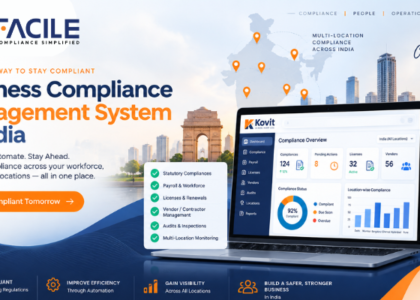
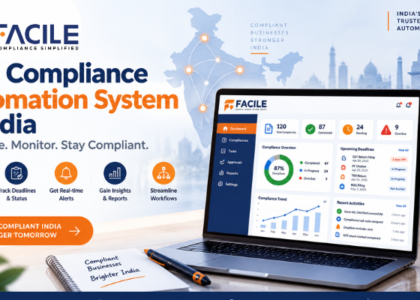
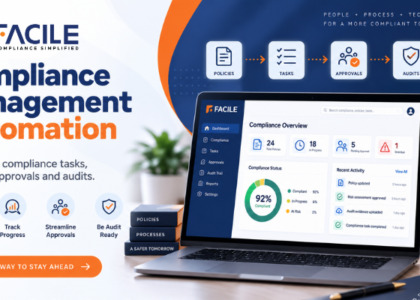
20. Audit Dashboard
A central dashboard can show:
- Total audits
- Audits planned
- Audits completed
- Audits pending
- Open observations
- High-risk findings
- Critical findings
- Corrective actions
- Overdue closures
- Audit scores
- Location-wise performance
Compliance Audit Workflow
A structured digital audit process can look like:
Audit Plan → Checklist → Document Review → Observation → Risk Classification → Corrective Action → Evidence → Verification → Closure
This provides a complete audit lifecycle.
Benefits of a Compliance Audit Software Tool
Standardized Audits
Digital checklists help ensure consistent audit methodology.
Faster Audit Execution
Auditors can review documents and record findings digitally.
Better Risk Visibility
High-risk findings are highlighted immediately.
Improved Corrective Action Tracking
Every observation can have a responsible owner and due date.
Better Evidence Control
Supporting documents remain linked to the relevant finding.
Reduced Manual Reporting
Dashboards and reports reduce spreadsheet consolidation.
Improved Audit Readiness
Historical findings and closure evidence remain traceable.
Better Contractor Governance
Contractor compliance can be monitored consistently.
Better Vendor Oversight
Vendor audit performance can be tracked centrally.
Compliance Audit Software for Multi-Location Businesses
A large organisation can structure audit management as:
Organisation → State → Location → Audit → Observation → Risk → Corrective Action → Closure
This provides both enterprise-level and unit-level visibility.
Compliance Audit Checklist
Businesses should ensure the software supports:
- Audit planning
- Audit scheduling
- Digital checklists
- Document verification
- Observations
- Recommendations
- Risk classification
- Audit scoring
- Corrective actions
- Evidence uploads
- Revalidation
- Closure
- Contractor audits
- Vendor audits
- Payroll audits
- Licence audits
- Multi-state audits
- Multi-location audits
- Escalations
- Dashboards
- Reports
- Audit trails
Who Can Use Compliance Audit Software?
It is useful for:
- Large enterprises
- SMEs
- Manufacturing companies
- Factories
- IT companies
- Retail businesses
- Logistics companies
- Warehouses
- Construction companies
- Staffing companies
- Facility management companies
- Multi-state businesses
- Multi-location organisations
- Internal audit teams
- Compliance teams
- HR teams
- Payroll teams
- Legal teams
- Contractor management teams
- Vendor management teams
- Senior management
How FACILE ONE Helps With Compliance Audits
FACILE ONE can help organisations digitise and centralise compliance audit management.
Businesses can use FACILE ONE to support:
- Audit planning
- Digital audit checklists
- Document verification
- Payroll audits
- Contractor audits
- Vendor audits
- Licence audits
- Audit observations
- Risk classification
- Recommendations
- Corrective actions
- Evidence management
- Verification
- Audit closure
- Audit scores
- Dashboards
- Reports and audit trails
Why Choose FACILE ONE?
Compliance audits require coordination between auditors, HR, payroll, contractors, vendors, compliance teams and management.
FACILE ONE helps bring these activities into one structured workflow.
Key capabilities include:
- Digital audit checklists
- Centralized observation management
- Risk-based findings
- Corrective-action tracking
- Evidence verification
- Contractor and vendor audits
- Multi-location audit monitoring
- Audit scores
- Dashboards and MIS
- Complete audit trails
How to Choose the Best Compliance Audit Software Tool
Businesses should evaluate whether the system supports:
- Configurable audit checklists
- Audit schedules
- Document uploads
- Observation management
- Risk classification
- Corrective actions
- Evidence verification
- Reopening of observations
- Escalations
- Contractor audits
- Vendor audits
- Payroll audits
- Multi-state capability
- Multi-location capability
- Audit scoring
- Dashboards
- Reports
- Audit trails
The system should clearly answer:
What was audited? What failed? How serious is the finding? Who owns the corrective action? What evidence was submitted? Has the observation been verified and closed?
Conclusion
A Compliance Audit Software Tool helps businesses replace manual audit trackers with a structured, digital and auditable compliance process.
By connecting audit checklists, documents, observations, risks, corrective actions and evidence, organisations can improve audit consistency and closure tracking.
For businesses operating across multiple locations, vendors and contractors, FACILE ONE can help create a more transparent, risk-focused and audit-ready compliance environment.
Frequently Asked Questions – Compliance Audit Software Tool
1. What is Compliance Audit Software?
Compliance Audit Software is a digital platform used to plan audits, manage checklists, record observations and monitor corrective actions.
2. Why do businesses need Compliance Audit Software?
It helps standardise audits, reduce manual tracking and improve visibility over open compliance findings.
3. Can audit checklists be maintained digitally?
Yes. Configurable audit checklists can be maintained for different compliance areas.
4. Can documents be reviewed during audits?
Yes. Payroll files, challans, licences, returns, registers and other evidence can be reviewed.
5. Can audit observations be recorded?
Yes. Observations can include risk level, owner, due date and corrective action.
6. Can findings be classified by risk?
Yes. Findings can be classified as low, medium, high or critical.
7. Can audit scores be calculated?
Yes. Scores can be calculated based on compliance checkpoints, findings and risk.
8. Can corrective actions be tracked?
Yes. Every observation can have a corrective-action workflow.
9. Can users upload closure evidence?
Yes. Supporting evidence can be uploaded for auditor verification.
10. Can auditors reject submitted evidence?
Yes. Evidence can be approved, rejected or returned for resubmission.
11. Can contractor compliance audits be managed?
Yes. Contractor payroll, licences, EPF, ESIC and statutory records can be audited.
12. Can vendor audits be managed?
Yes. Vendor documentation, statutory compliance, risk and corrective actions can be reviewed.
13. Can payroll compliance audits be performed?
Yes. Attendance, minimum wages, statutory deductions and payment records can be audited.
14. Can the software support multiple locations?
Yes. Audits can be managed across factories, branches, warehouses and project sites.
15. Can management view an audit dashboard?
Yes. Dashboards can show audit status, open observations, risk levels and overdue actions.
16. Can FACILE ONE support Compliance Audit Management?
Yes. FACILE ONE can support audit checklists, observations, risk classification, corrective actions, evidence verification and dashboards.
About the Author