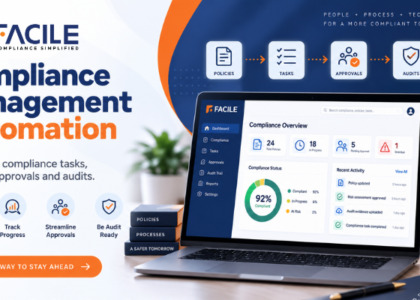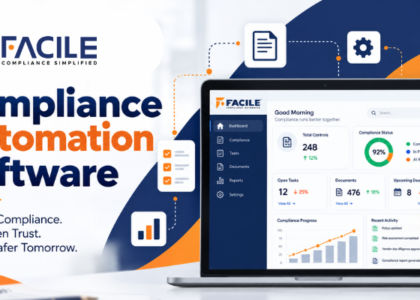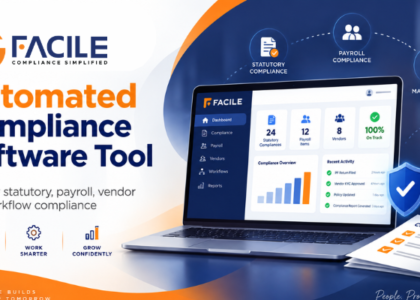

Managing compliance through manual processes can become difficult as organisations grow across multiple States, locations, departments, contractors and vendors. Compliance activities often involve task creation, ownership, document submission, approvals, reviews, reminders, escalations, audits and corrective actions.
Compliance Process Automation helps businesses digitise these steps and convert fragmented manual processes into structured, trackable workflows.
Instead of relying on spreadsheets, emails and separate document folders, organisations can use automation to manage statutory compliance, payroll compliance, licence renewals, vendor obligations, contractor submissions, audits and risk-related actions through one centralised process.
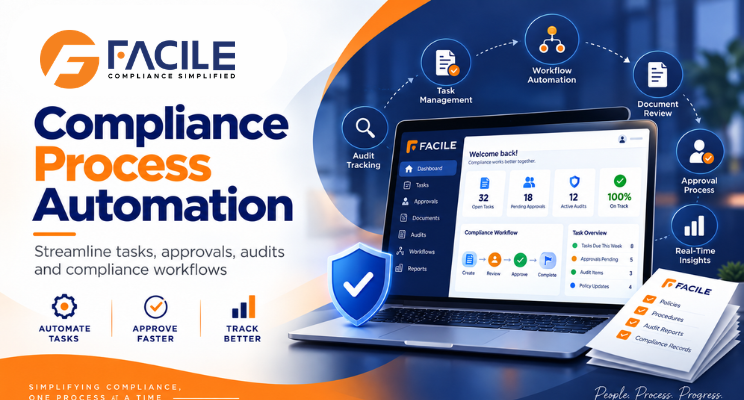
Compliance Process Automation is the use of software and digital workflows to automate recurring compliance activities from initiation to closure.
It can help manage:
The objective is to make compliance more consistent, transparent and auditable.
Manual compliance processes can create problems such as:
Automation helps standardise the way compliance activities are created, assigned, reviewed and closed.
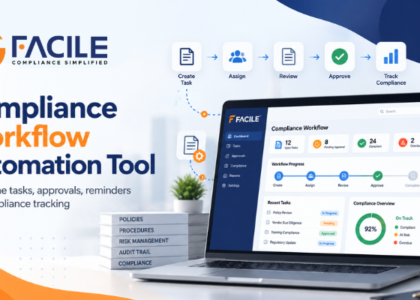
A typical automated process can follow:
Applicability → Task Creation → Assignment → Submission → Review → Approval → Audit → Corrective Action → Closure
Each stage can have:
This creates a clear audit trail from beginning to end.
The system can create compliance activities based on:
This reduces manual task setup.
Compliance activities can be assigned to:
This improves ownership.
Every process should track:
This makes delays easier to identify.
The platform can send reminders for:
If an activity remains incomplete, it can be escalated automatically.
For example:
Owner → Manager → Compliance Head → Senior Management
Escalation can depend on delay or risk severity.
Compliance processes often require supporting evidence.
The software can support:
This creates a structured document workflow.
Some compliance activities may require multiple levels of review.
For example:
Task Owner → Reviewer → Compliance Manager → Final Approver
The system should capture every approval stage.
Activities can have statuses such as:
This helps management understand process status quickly.
Payroll compliance can be structured as:
Attendance → Payroll → Minimum Wage Validation → EPF → ESIC → Payslip → Bank Payment → Wage Register
The system can validate each stage before moving forward.
Contractor processes can include:
These can move through submission, review and approval workflows.
Vendor processes can include:
A licence process can follow:
Expiry Alert → Owner Assignment → Document Collection → Application → Follow-Up → Approval → Renewed Licence Upload
This helps reduce renewal risk.
Returns can be managed through:
Applicability → Preparation → Review → Filing → Acknowledgement → Closure
This provides a complete filing history.
Audit workflows can include:
Non-compliance can follow:
Observation → Action Assigned → Evidence Submitted → Verification → Closure
Overdue actions can be escalated automatically.
Processes can be configured based on risk.
For example:
Low Risk → Standard Review
High Risk → Additional Approval
Critical Risk → Immediate Escalation
This allows businesses to focus more attention on higher-risk issues.
The system can support different processes based on:
This is useful for organisations operating across India.
Compliance workflows can be configured across:
Corporate teams can retain visibility while local teams complete their assigned activities.
A complete audit trail should show:
A dashboard can show:
Automation reduces spreadsheet dependency and repeated follow-ups.
Tasks and documents can move automatically between responsible users.
Each activity has a defined owner.
Reminders and escalations help prevent delays.
Supporting evidence remains linked to each compliance process.
Every submission, review and approval can be traced.
High-risk activities can be escalated immediately.
Management can monitor compliance processes across all units.
| Area | Manual Process | Automated Process |
|---|---|---|
| Task creation | Spreadsheet entry | Automated generation |
| Assignment | Email/manual follow-up | System-based routing |
| Due dates | Manual calendar | Automated alerts |
| Documents | Shared folders | Task-linked repository |
| Review | Digital review workflow | |
| Approval | Manual confirmation | Structured approval |
| Escalation | Manual | Automated |
| Audit trail | Fragmented | Centralized history |
| Corrective actions | Excel tracker | Digital workflow |
| Reporting | Manual consolidation | Dashboard |
A large organisation can structure its compliance process as:
Organisation → State → Location → Compliance → Owner → Reviewer → Approver → Closure
This enables local responsibility with central governance.
Businesses should ensure the system supports:
It is useful for:
FACILE ONE can help organisations convert manual compliance activities into structured digital processes.
Businesses can use FACILE ONE to support:
Compliance involves multiple teams, documents and approval stages.
FACILE ONE helps bring these activities into one structured digital process.
Key capabilities include:
Businesses should evaluate whether the platform supports:
The best system should clearly answer:
What process is pending? Who owns it? What is the due date? Which document is missing? Who needs to approve it? Has the process been closed?
Compliance Process Automation helps businesses replace fragmented manual compliance activities with structured digital processes.
By automating task creation, assignment, approvals, document reviews, reminders, escalations, audits and corrective actions, organisations can improve efficiency, accountability and compliance visibility.
For businesses operating across multiple States, locations, contractors and vendors, FACILE ONE can help create a more scalable and audit-ready compliance environment.
It is the use of software to automate compliance tasks, assignments, approvals, reminders, document reviews and closure processes.
It reduces manual follow-ups, improves ownership and helps prevent missed compliance deadlines.
Yes. Tasks can be generated using applicability, frequency and due-date rules.
Yes. Workflows can include reviewers, managers and final approvers.
Yes. Reminders can be generated for upcoming, pending and overdue activities.
Yes. Escalation can be configured based on delay or risk.
Yes. Documents can be uploaded, reviewed, rejected, corrected, resubmitted and approved.
Yes. Attendance, payroll, minimum wages, EPF, ESIC, payslips and payment proof can be linked through structured processes.
Yes. Contractor employee records, payroll, statutory documents and licences can move through submission and review workflows.
Yes. Vendor onboarding, document verification, audits and corrective actions can be managed digitally.
Yes. Alerts, document collection, application tracking and renewal closure can be managed.
Yes. Audit planning, evidence review, observations, corrective actions and closure can be handled digitally.
Yes. Risk-based routing can apply additional review and escalation to high-risk issues.
Yes. Actions, submissions, approvals, rejections and status changes can be recorded.
Yes. Processes can be configured according to State, location, law and compliance type.
Yes. FACILE ONE can support task automation, workflows, approvals, documents, escalations, audits and corrective-action processes.


Facile Management Services (OPC) Private Limited is committed to delivering seamlessly integrated HR and compliance solutions designed for the evolving