Compliance Risk Audit Services Automation Tool in India

Compliance risks can arise from missed statutory deadlines, incomplete records, expired licences, payroll differences, contractor non-compliance and unresolved audit observations. When audits rely on spreadsheets, emails and physical documents, organizations may struggle to identify and resolve these risks in time.

FACILE Compliance Risk Audit Services Automation Tool digitizes the complete compliance audit lifecycle. It helps organizations plan audits, configure checklists, review records, classify risks, raise observations, assign corrective actions and monitor closure through a centralized platform.

Plan audits and configure checklists

Review records and classify risks

Raise observations

Corrective actions and closure

Automate Compliance Risk Audits with FACILE

A compliance audit should provide more than a list of missing documents. It should help management understand the nature of each gap, its potential impact, the responsible party and the action required for resolution.

FACILE converts audit requirements into a structured digital workflow. Auditors can review documents, record findings, assign risk levels and monitor corrective evidence. Management receives real-time visibility into open risks across companies, establishments, factories, contractors and locations.

Compliance Risk Areas Managed Through FACILE

FACILE supports audits across areas such as:

Establishment compliance

Factory compliance

Labour law compliance

Payroll compliance

Minimum-wage compliance

EPF and ESI compliance

Professional tax compliance

Labour welfare fund compliance

Contractor payroll compliance

Vendor compliance

Registration and licence compliance

Statutory registers and returns

Working-hours and overtime records

Wage and payment records

Employee welfare compliance

Safety and workplace documentation

Contractor employee records

Statutory challans and acknowledgements

Inspection and notice records

Corrective and preventive actions

Recurring compliance observations

Benefits of FACILE Compliance Risk Audit Services Automation Tool

Centralized Audit Management

Plan, conduct and monitor compliance audits across companies, locations, departments, contractors and vendors through one platform.

Standardized Audit Methodology

Apply consistent audit checklists, verification procedures, risk categories and reporting formats across the organization.

Early Risk Identification

Identify overdue activities, missing documents, expired licences and compliance differences before they become serious issues.

Risk-Based Prioritization

Classify observations according to severity, urgency, regulatory impact and business exposure.

Faster Document Review

Provide auditors with organized access to statutory records, payroll documents, licences, returns and supporting evidence.

Reduced Manual Work

Replace disconnected spreadsheets, emails and physical files with structured digital audit workflows.

Improved Accountability

Assign each observation to the responsible employee, department, contractor or vendor with a defined completion timeline.

Corrective-Action Tracking

Monitor responses, evidence, reviewer comments and closure status until the identified gap is resolved.

Real-Time Risk Visibility

Use dashboards to monitor open, overdue, high-risk and recurring compliance observations.

Multi-Location Monitoring

Compare compliance risks across factories, branches, establishments and project locations.

Better Vendor Oversight

Monitor vendor and contractor audit findings, corrective actions and compliance performance.

Digital Audit Trail

Maintain a complete history of audit checklists, findings, responses, approvals and closure evidence.

Management-Level Reporting

Provide leadership teams with concise risk summaries, trend reports and compliance-performance insights.

Key Features of FACILE Compliance Risk Audit Services Automation Tool

Audit Planning and Scheduling

Schedule monthly, quarterly, half-yearly, annual, event-based or special compliance audits.

Customizable Audit Checklists

Configure audit points based on industry, establishment type, location, business activity and applicable requirements.

Applicability-Based Audits

Select relevant audit areas based on the legal entity, workforce, contractors and operational conditions.

Digital Document Collection

Collect registrations, licences, returns, registers, challans, payroll records and other supporting documents electronically.

Document Verification Workflow

Allow auditors to review, approve, return or reject documents with clear observations and comments.

Automated Payroll Validation

Support comparisons among attendance, wage registers, payslips, payment proofs and statutory contribution records.

Licence and Registration Review

Track validity periods, renewal dates, amendments and missing approvals across locations.

Observation Management

Record findings with descriptions, supporting evidence, responsible parties and target dates.

Risk Classification

Categorize audit observations as critical, high, medium or low risk according to the organization’s audit framework.

Corrective-Action Assignment

Assign corrective actions to internal teams, contractors, vendors or consultants with defined responsibilities.

Evidence Submission

Allow responsible users to upload explanations, revised records and supporting evidence against audit observations.

Reviewer Verification

Enable auditors to review submitted evidence, seek clarification, reopen findings or approve closure.

Escalation Management

Escalate overdue or high-risk observations to the appropriate management level.

Recurring-Issue Tracking

Identify observations that repeatedly appear across periods, locations, departments or vendors.

Compliance Risk Scoring

Generate risk scores using the number, severity, age and closure status of observations.

Management Dashboard

View overall audit status, open risks, overdue actions and location-wise performance.

Digital Audit Reports

Generate structured reports containing findings, risk levels, responses, recommendations and closure status.

Role-Based Access

Provide appropriate access to auditors, HR teams, compliance managers, contractors and senior management.

Multi-Company and Multi-Location Support

Manage compliance audits across different entities, establishments, factories and operational locations.

Why Choose FACILE for Compliance Risk Audit Automation?

FACILE connects audit planning, document verification, risk assessment, observation management and corrective-action tracking within one system.

It enables organizations to shift from reactive compliance reviews to a continuous, transparent and risk-based audit process.

Centralized compliance audits

Configurable audit checklists

Digital document verification

Automated record validation

Structured risk classification

FACILE

Real-time risk dashboards

Observation and response tracking

Corrective-action monitoring

Recurring-risk identification

Digital audit reports and trails

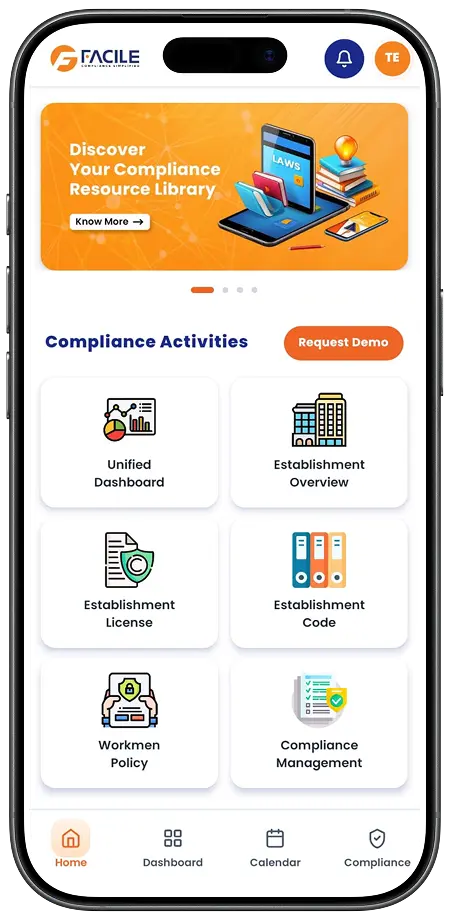
FACILE ONE Mobile App

Why FACILE ONE?

FACILE ONE gives authorized users mobile access to compliance risk information. Business leaders, auditors and compliance managers can monitor high-risk findings, receive escalation alerts and access audit reports from anywhere.

It keeps management connected with critical compliance risks without waiting for manually consolidated updates.

Benefits of FACILE ONE

Compliance risks at your fingertips

Real-time audit visibility

High-risk observation alerts

Multi-location risk monitoring

Vendor and contractor visibility

Corrective-action tracking

Access to digital audit reports

Compliance score monitoring

Faster management decisions

Secure access anytime and anywhere

FACILE ONE Features

01

Live Compliance Dashboard

Monitor completed audits, open observations, overdue actions, risk levels and compliance performance.

02

Smart Notifications

Receive alerts for audit schedules, pending responses, high-risk findings and delayed corrective actions.

03

Vendor Compliance Management

Track contractor and vendor audit observations, document status, responses and compliance scores.

04

Digital Audit Reports

Access audit findings, recommendations, responses, supporting evidence and closure reports.

05

Labour Law E-Library

Refer to minimum wages, statutory updates, government notifications and other compliance resources.

06

Compliance and Risk Scores

Measure compliance performance and risk exposure across locations, contractors and audit periods.

07

Secure Access

Role-based permissions protect sensitive audit, employee, payroll and statutory information.

Who Can Use FACILE Compliance Risk Audit Services Automation Tool?

FACILE is suitable for:

Employers and business owners

Compliance managers

Internal audit teams

Human resource departments

Legal and finance teams

Factory and establishment managers

EHS and safety departments

Principal employers

Procurement and vendor-management teams

Contractors and service providers

Compliance consultants

Multi-location organizations

Stay Connected. Stay Compliant.

Transform compliance audits into a structured process that identifies risks, assigns accountability and supports timely corrective action.

FACILE helps your organization review compliance records, classify findings, track corrective actions and monitor risk across locations, contractors and vendors. FACILE ONE keeps critical audit information accessible wherever your work takes you.

Identify Risks. Take Action. Strengthen Compliance. Anytime. Anywhere.
FAQ Shapes
FAQ Shapes
FAQ'S

Have Questions in Your Mind? Get the Answers Now

1. What is a Compliance Risk Audit Services Automation Tool?

It is software that helps organizations plan compliance audits, review records, identify risks, raise observations and monitor corrective actions.

2. How does FACILE automate compliance risk audits?

FACILE creates audit schedules and checklists, collects documents, records findings, classifies risks and tracks observations until closure.

3. What compliance areas can be audited?

The platform can support establishment, factory, payroll, labour law, EPF, ESI, contractor, vendor, licence and statutory-record audits.

4. Can audit checklists be customized?

Yes. Audit checklists can be configured according to industry, location, establishment type, contractor category and applicable requirements.

5. Can multiple locations be audited?

Yes. FACILE can manage audits across multiple branches, factories, establishments and project locations.

6. Can contractors and vendors be included in audits?

Yes. Contractor and vendor documents, payroll records, licences and statutory compliance can be reviewed.

7. How are compliance risks classified?

Organizations can categorize observations according to their internal framework, such as critical, high, medium or low risk.

8. What is compliance risk scoring?

Compliance risk scoring provides a consolidated measurement based on the number, severity, age and closure status of audit findings.

9. Can payroll records be audited?

Yes. FACILE can support comparisons among attendance, wage registers, payslips, payment proofs and statutory records.

10. Can licences and registrations be audited?

Yes. Auditors can review licence details, validity periods, renewals, amendments and supporting approvals.

11. How are audit observations managed?

Auditors can record observations, assign responsibility, specify risk levels and define corrective-action timelines.

12. Can users submit corrective evidence?

Yes. Authorized users can upload explanations, revised records and supporting evidence against each observation.

13. Can an observation be reopened?

Yes. Reviewers can return or reopen an observation when the response or evidence is incomplete.

14. Does FACILE send escalation alerts?

Yes. Notifications can be sent for high-risk observations, delayed responses and overdue corrective actions.

15. Can recurring compliance risks be identified?

Yes. FACILE can help identify observations repeated across audit periods, locations, departments, contractors or vendors.

16. Does FACILE generate digital audit reports?

Yes. Reports can include audit findings, risk categories, recommendations, responses, evidence and closure status.

17. Can management monitor audit progress?

Yes. Dashboards provide visibility into completed audits, pending reviews, open risks and overdue corrective actions.

18. What is FACILE ONE?

FACILE ONE is a mobile-enabled platform that provides access to audit dashboards, risk alerts, observations, reports and compliance scores.

19. Is audit information secure?

FACILE provides role-based access so sensitive audit and compliance information is available only to authorized users.

20. Does automation replace compliance auditors?

No. Automation improves audit consistency and tracking. Final findings, risk assessment and compliance decisions should be reviewed by qualified professionals.

21. How can an organization get started with FACILE?

Contact the FACILE team to schedule a demonstration and discuss an audit solution based on your industry, locations, contractors and compliance requirements.

Transform Your Compliance Operations

Digitize your establishment, vendor, audit, and statutory compliance management with FACILE.

Go Back Top